Simple websocket chat using cat.
In this example we use cat as the back end for ScaleSocket. The result is a naive chat website that uses websockets.
Running the example
Prerequisites:
You can get the source code and run this example with:
git clone git@github.com:scalesocket/scalesocket.git
cd scalesocket/examples
docker compose up --build chat
open http://localhost:9000/
Architecture overview
This example demonstrates a minimal chat application with three components:
- cat – echoes all input back to stdout, acting as a broadcast relay
- HTML/JS frontend – simple chat interface with JSON messaging
- ScaleSocket – handles websocket connections and JSON validation
Front end
We'll create index.html with the following contents:
<!doctype html>
<html>
    <head>
        <title>Chat Example using ScaleSocket</title>
        <meta charset="utf-8" />
        <link rel="stylesheet" href="https://cdn.simplecss.org/simple.min.css" />
    </head>
<body>
<header>
    <p>
        Rooms: <a href="?room=room1">room1</a>, <a href="?room=room2">room2</a>
    </p>
</header>

<main>
    <textarea id="messages" readonly rows="20"></textarea>
    <input id="nick" placeholder="nickname" value="anonymous" />
    <input id="message" placeholder="connecting..." disabled />
</main>

<script>
    const $ = id => document.getElementById(id);
    const sanitize = str => str.replace(/[^a-zA-Z0-9 ]/g, '');
    const room = new URLSearchParams(location.search).get("room") || 'room1';
    const protocol = location.protocol === "https:" ? "wss" : "ws"
    const ws = new WebSocket(`${protocol}://${location.host}/${room}`);

    ws.onmessage = e => {
        const msg = JSON.parse(e.data);
        if (msg.t === "Join") {
            $("messages").value += `a participant joined the chat\n`;
        } else if (msg.t === "Leave") {
            $("messages").value += `a participant left the chat\n`;
        } else {
            $("messages").value += `<${msg.nick}> ${msg.text}\n`;
        }
        $("messages").scrollTop = $("messages").scrollHeight;
    };

    ws.onopen = () => {
        $("messages").value = `Connected to ${room}\n`;
        $("message").placeholder = "type message...";
        $("message").disabled = false;
        $("message").focus();
    };

    $("message").onkeyup = e => {
        if (e.key === 'Enter' && e.target.value.trim()) {
            const nick = sanitize($("nick").value) || "anonymous";
            const text = sanitize(e.target.value);
            if (text) {
                ws.send(JSON.stringify({ nick, text }));
                e.target.value = "";
            }
        }
    };
</script>
</body>
</html>
Back end
We'll use the existing cat binary as our back end.
It's only purpose is to echo back whatever it receives to all clients.
We'll use a Dockerfile with the following contents:
# syntax=docker/dockerfile:1.2
FROM scalesocket/scalesocket:latest
COPY index.html /var/www/public/index.html
CMD scalesocket\
    --json\
    --staticdir /var/www/public/\
    cat
The scalesocket/scalesocket:latest docker image is based on Alpine linux.
We start cat using scalesocket in binary mode.
Scalesocket will also serve the static HTML.
To clone and run the complete example, do:
git clone git@github.com:scalesocket/scalesocket.git
cd scalesocket/examples
docker compose up --build chat
Then open http://localhost:9000/ in your browser.
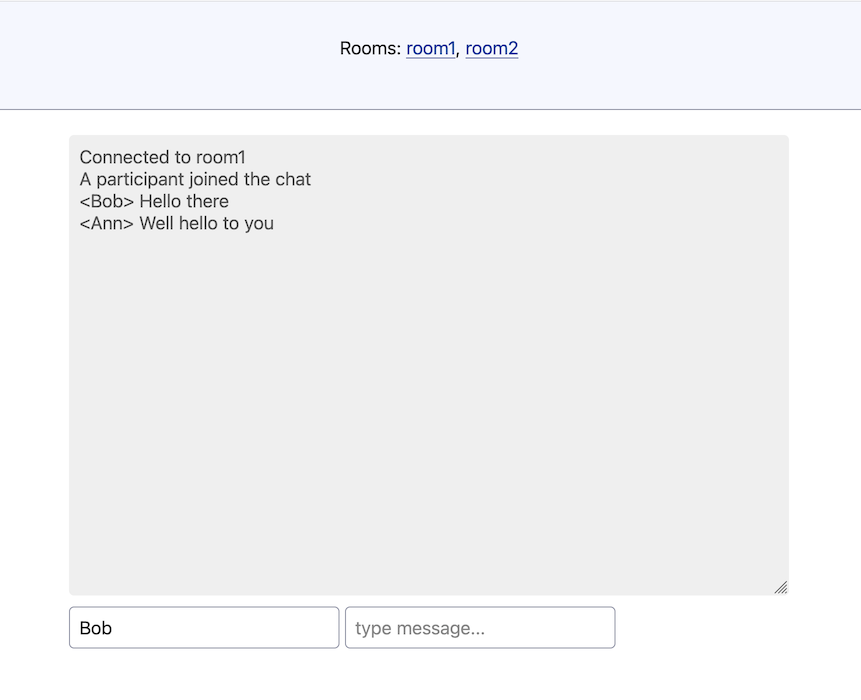
You should see a working chat interface.
Try opening multiple browser tabs to connect to the same room multiple times.
How does it work?
The HTML frontend connects to the ScaleSocket server at ws://localhost:9000/room1 using websockets.
The back end spins up a new cat process for the room.
When the frontend sends a chat message, ScaleSocket passes it directly to the stdin of cat.
Since cat echoes all input it receives, the reply to stdout is the message itself, which ScaleSocket sends back to all connected clients.
When --json is passed as an argument to ScaleSocket, it validates the websocket input to be JSON formatted objects.
Additionally, it will send {t:"Join", _id:1234} events when new clients join.
Next.
- Real-time collaborative whiteboard
- Streaming a terminal to the browser
- Usage
- Advanced usage
- Command-line reference