Real-time collaborative whiteboard.
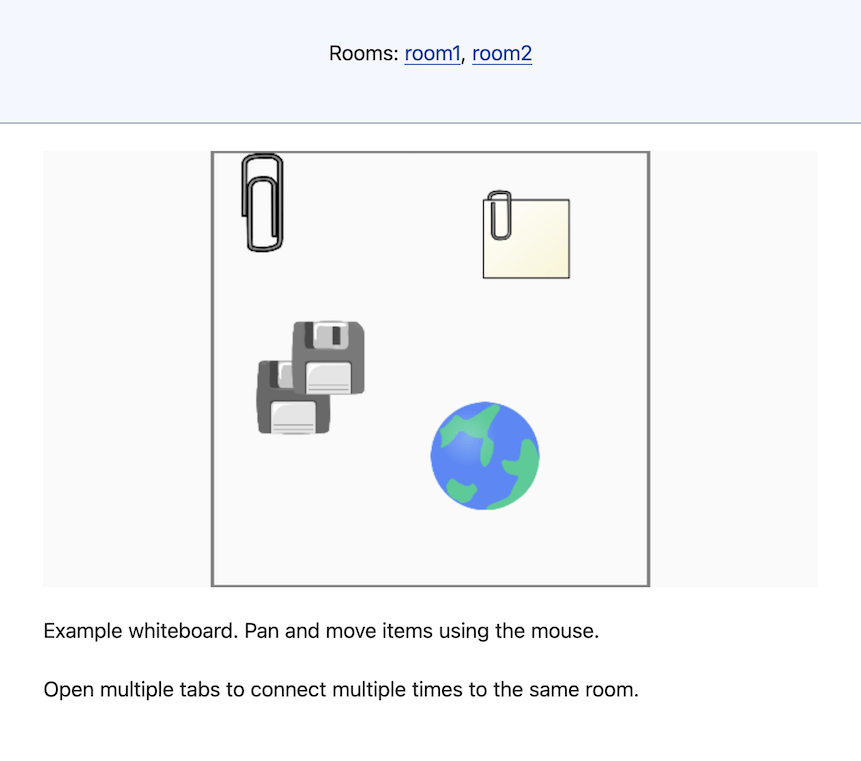
In this example we build a collaborative whiteboard where multiple users can drag and move objects in real-time. The frontend uses PixiJS for rendering, and a simple TypeScript server manages the shared state.
Running the example
Prerequisites:
You can get the source code and run this example with:
git clone git@github.com:scalesocket/scalesocket.git
cd scalesocket/examples
docker compose up --build whiteboard
open http://localhost:9000/
Architecture overview
This example demonstrates a more complex pattern with three key components:
- TypeScript server – manages shared state and broadcasts updates
- PixiJS frontend – renders an interactive canvas with draggable sprites
- ScaleSocket – handles websocket connections and room management
Back end
The server is a simple TypeScript file that maintains the whiteboard state and handles two message types:
Join (sent by ScaleSocket when a client connects) and Move (sent by clients when dragging objects).
import { createInterface } from 'readline';

const state = {
  'clip': { x: 125, y: 125 },
  'note': { x: 725, y: 200 },
  'globe': { x: 625, y: 700 },
  'floppies': { x: 225, y: 520 },
}

const send = (data: Object) => {
  // Messages logged to stdout are sent to the client via the websocket
  console.log(JSON.stringify(data))
}

const onReceive = (e: string) => {
  const { t: type, ...data } = JSON.parse(e)
  switch (type) {
    case 'Join':
      console.error('Someone joined');
      send({ t: 'State', state })
      return
    case 'Move':
      if (data.key in state) {
        state[data.key] = data.position
        send({ t: 'State', state })
      }
      return
  }
}

// Messages are received by reading lines from stdin
createInterface({ input: process.stdin })
  .on('line', (line: string) => onReceive(line.trim()));
The server reads JSON messages from stdin and writes responses to stdout. ScaleSocket handles the websocket connections; the node server handles state management.
Front end
The frontend creates a PixiJS viewport where users can pan around and drag objects.
When an object is dragged, the client sends a Move message.
When receiving a State message, sprites smoothly interpolate to their new positions.
An excerpt of the frontend.js file is shows us the basic building blocks for the front end:
// Excerpt from `frontend.js`, see repo for full source.

export class Whiteboard {
  constructor(ws, viewport) {
    this.viewport = viewport;
    this.ws = ws;
    this.items = {};

    // Canvas event handlers
    this.viewport.on('pointermove', (e) => this.onPointerMove(e));
    this.viewport.on('pointerup', (e) => this.onPointerUp(e));

    // WebSocket handlers
    this.ws.onmessage = (e) => this.onMessage(e);

    // ...
  }

  onMessage(e) {
    const { t: type, ...payload } = JSON.parse(e.data);
    switch (type) {
      case 'State':
        this.updateState(payload.state);
        // ...
    }
  }

  sendMessage(data) {
    this.ws.send(JSON.stringify(data));
  }

  onPointerMove(e) {
    // Send position updates when dragging
    this.sendMessage({ t: 'Move', key, position });
    // ...
  }

  updateState(newState) {
    // Add new items and update positions
    for (const [key, position] of Object.entries(newState)) {
      if (!(key in this.items)) {
        this.items[key] = await this.addItem(key, position);
      } else {
        this.items[key].targetPosition = position;
      }
    }
    // ...
  }

  // ...
}
View full source code on GitHub →
Docker configuration
The Dockerfile uses Node.js to run the TypeScript server:
FROM node:25-alpine

COPY --from=scalesocket/scalesocket:latest /usr/bin /usr/bin

COPY index.html frontend.js images/ /var/www/public/
COPY server.ts /app/server.ts

WORKDIR /app
CMD scalesocket\
    --staticdir /var/www/public/\
    --json\
    node -- server.ts
To clone and run the complete example, do:
git clone git@github.com:scalesocket/scalesocket.git
cd scalesocket/examples
docker compose up --build whiteboard
Then open http://localhost:9000/ in your browser.
You should see a whiteboard with draggable objects.
Try opening multiple browser tabs to see real-time synchronization across clients.
How does it work?
When a client connects, ScaleSocket sends a Join event to the server.
The server responds with the current state, which the frontend uses to render the initial positions.
When a user drags an object, the frontend sends throttled Move messages.
The server updates its state and broadcasts the new positions to all connected clients.
The frontend interpolates sprite positions to make movement appear smooth.